
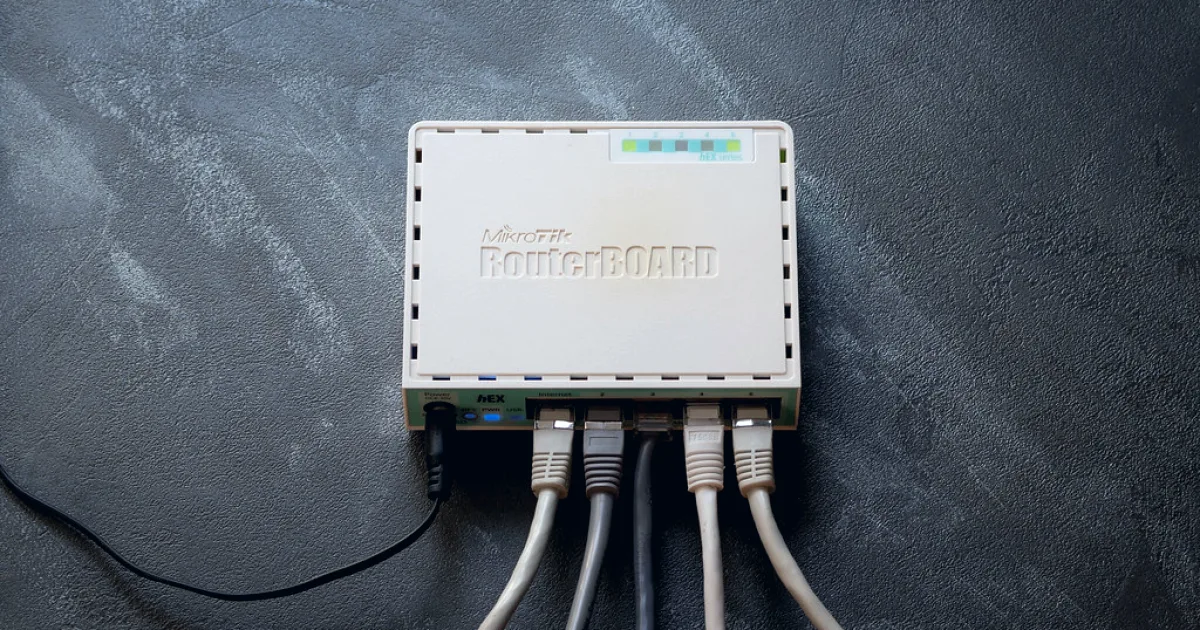
The CCR2004-1G-12S+2XS occupies an unusual position: twelve SFP+ ports and two SFP28 ports in a 1U chassis, at roughly a fifth of the price of the equivalent from a mainstream vendor. I have run a pair for eight months as a network core and as a BGP edge router.
Here is what the datasheet does not tell you.
Specification
| CPU | Annapurna AL32400, 4 × ARM Cortex-A57 @ 1.7 GHz |
| RAM | 4 GB DDR4 |
| Ports | 12 × SFP+ (10G), 2 × SFP28 (25G), 1 × GbE |
| Switch chip | Marvell 98DX3255 |
| Throughput | 70 Gbps switching, ~12 Gbps routed (L3 HW offload) |
| Power | Dual redundant, ~60 W typical |
| OS | RouterOS v7 |
| Street price | ~£550 |
What it does well
Port density for the money is unmatched. Twelve 10G ports plus two 25G uplinks in 1U at this price has no direct competitor. The nearest equivalents from Cisco or Juniper start around £4,000 before optics and support.
Hardware offload is real, when configured correctly. With L3 hardware offload enabled and routes in the hardware table, forwarding runs at line rate with negligible CPU:
/interface ethernet switch
set 0 l3-hw-offloading=yes

/interface ethernet switch l3-hw-settings
set ipv4-unicast-routes=yes ipv6-unicast-routes=yes
Verify it is actually offloading — this is the command people miss:
/interface ethernet switch host print count-only
/ip route print where hw-offloaded=yes
Routes not in that table are processed in software, and software forwarding on this CPU tops out around 3 Gbps. A single misconfigured firewall rule can silently move all your traffic off the fast path.
RouterOS v7 BGP is much improved. v6's BGP was single-threaded and struggled with a full table. v7 handles two full IPv4 tables (~950k routes each) with convergence in about 90 seconds and roughly 2.8 GB RAM used. That is genuinely usable for a small transit edge.
Dual redundant power supplies at this price point is unusual and welcome.
What it does badly
The 25G ports are not general purpose. SFP28 ports are on a separate block of the switch chip. Some combinations of VLAN and offload configuration silently fall back to software forwarding. I lost most of a day to this before finding it in a forum post rather than the documentation.
Buffer memory is small. The Marvell chip has modest packet buffers. Under incast — many senders to one receiver, as in a storage cluster — I measured meaningful drops at around 70% link utilisation, where a switch with deeper buffers would not have dropped at all. For general routing this never mattered; for a storage fabric it would.
Documentation is community-driven. The official wiki covers syntax but not behaviour. The answer to "why is this not offloading?" is usually in a forum thread from 2023. If your team values vendor documentation and TAC, factor that in — the price difference partly reflects support you are not buying.
No MACsec, and limited hardware ACL capacity. The switch chip supports a modest number of ACL rules. Complex filtering pushes traffic to software, back to ~3 Gbps.
Test hardware offload with your actual configuration before committing. The performance difference between offloaded and software-forwarded traffic is roughly 4×, and nothing in the interface warns you when a rule has moved traffic off the fast path. Build the config, then verify with
/ip route print where hw-offloaded=yes.
Measured performance
Tested with two Linux hosts, 25G NICs, iperf3 with 8 parallel streams, jumbo frames enabled.
| Scenario | Throughput | CPU |
|---|---|---|
| L2 switching, same VLAN | 24.6 Gbps | 2% |
| L3 routed, offload on | 23.9 Gbps | 4% |
| L3 routed, offload off | 3.1 Gbps | 96% |
| L3 + connection tracking | 2.8 Gbps | 98% |
| L3 + simple queue shaping | 2.6 Gbps | 99% |
The last three rows are the real finding. Connection tracking and queueing are software-only. If you need stateful firewalling or traffic shaping at more than ~3 Gbps, this is the wrong device — put a dedicated firewall behind it and use the CCR for routing and switching.
Disable connection tracking explicitly where you do not need it:
/ip firewall connection tracking
set enabled=no

# Or exempt the fast paths only
/ip firewall raw
add action=notrack chain=prerouting src-address=10.0.0.0/8 dst-address=10.0.0.0/8
That single change moved east-west traffic from 2.8 Gbps to line rate in my testing.
Thermals and noise
Three small fans, and they are audible — around 48 dB at idle, higher under load. This belongs in a rack room, not an office. Intake temperature above roughly 30 °C pushes the fans to full speed and they become genuinely loud.
Eight months of continuous operation: no thermal shutdowns, sustained CPU temperature around 62 °C at 22 °C ambient.
Optics compatibility
MikroTik does not lock optics, which is a real advantage. Everything I tried worked: generic 10G-SR, coded FS.com DACs, Cisco-coded 10G-LR pulled from decommissioned kit.
The one caveat is 25G DACs. Some passive DACs longer than 3 m failed to link at 25G but negotiated 10G happily. Active optical cables worked at every length tested.
/interface ethernet monitor sfp-sfpplus1 once
Check sfp-temperature and sfp-rx-power on every link after installation. Two of the generic optics I bought ran hot enough to be worth replacing.
Who should buy it
Yes, if: you need 10G port density on a constrained budget, your team is comfortable with RouterOS, and your stateful firewalling happens on a separate device. As a BGP edge router or an aggregation switch it is excellent value.
No, if: you need stateful inspection at multi-gigabit rates, you run a storage fabric sensitive to buffer depth, or your organisation requires vendor support with an SLA. Also no if nobody on the team knows RouterOS — the learning curve is real, and the failure modes are quiet.
I would buy them again for the same role. I would not put one where a firewall belongs, which is the mistake I see most often with this class of MikroTik hardware — the specification suggests it can do everything, and the performance table above shows why it cannot.
Verdict: 4 / 5. Outstanding value with sharp edges that are entirely manageable once you know where they are.
0 comments
Sign in to join the discussion.
No comments yet. If something here is wrong or incomplete, say so — corrections are welcome.